Images & Videos
Categories
Description
DESCRIPTION
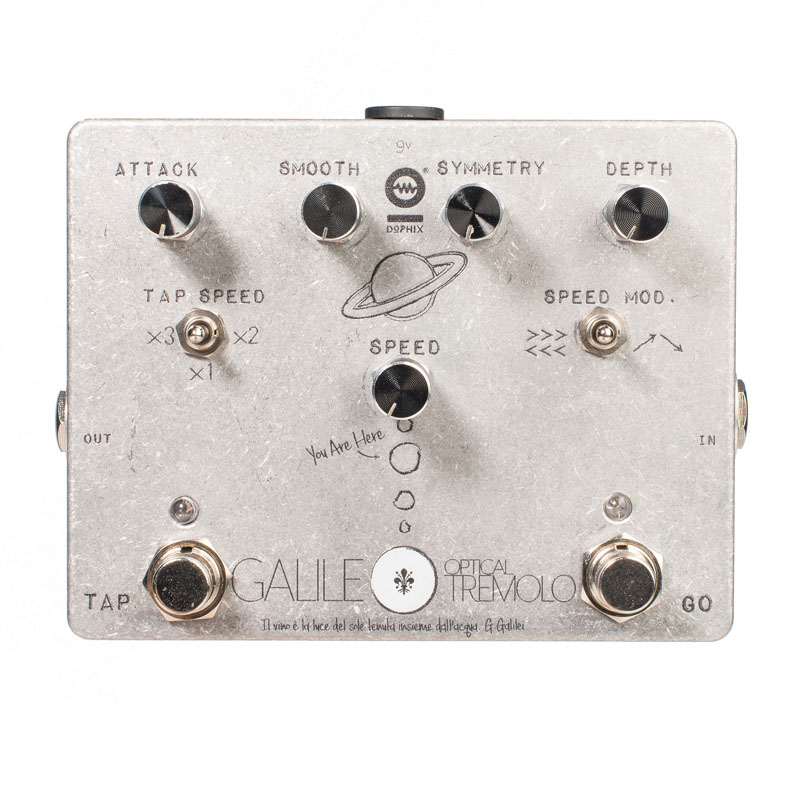
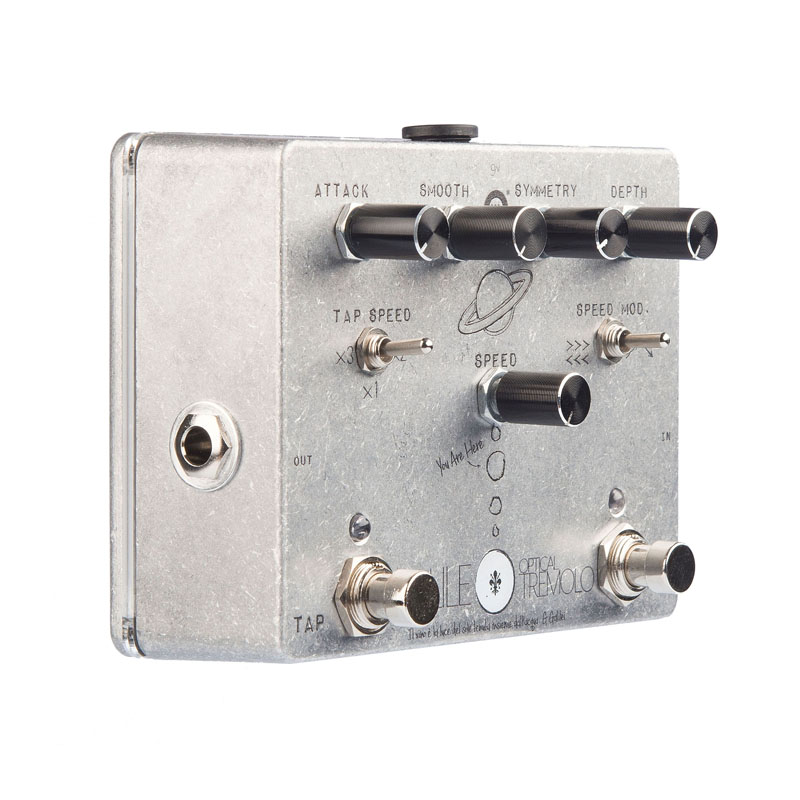
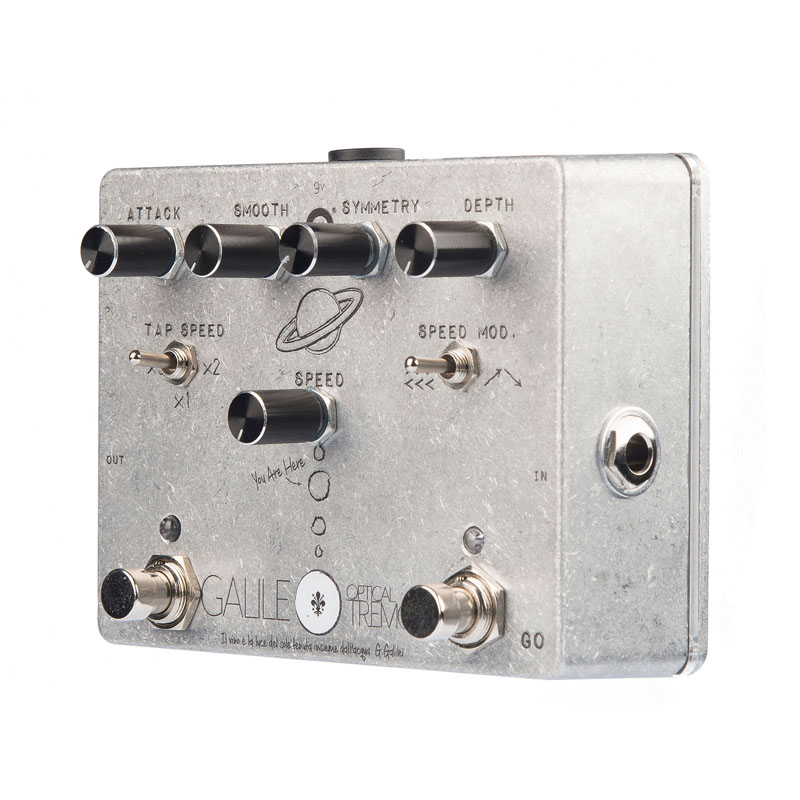
Galileo is a full analogue optical tremolo with versatile regulations, tap tempo and modulation controls. The heart of Galileo is an internal analogue oscillator that controls an high quality photodiode producing the tremolo: the activation and de-activation of this match let Galileo’s tremolo effect be very natural without distortion of the input signal.
Footswitches:
Galileo is provided with two true-bypass footswitches: GO and TAP.
With GO footswitch Galileo activate the tremolo effect and the output signal is modulated by the photodiode and the oscillator. When GO is on, a blue led lights on as a feedback. When GO footswitch is OFF the input is bypassed, so that the input signal is directly connected with the output jack.
With TAP footswitch it is possible to set the tremolo oscillator period as desidered by pressing TAP. Each TAP trigger set the start/stop of the oscillator period. A minimum of two tap triggers are required in order to set the desidered TAP period. No upper TAP triggers limits have to be respected. NOTE: the max oscillator period is 1 second: in case a longer TAP is requested the internal circuit will limit the TAP period to 1 sec.
Knobs:
Galileo is provided with five knobs that let you fully control the analogue oscillator and the tremolo effect as desidered.
SPEED: on manual mode (with SPEED MOD selector on central position) SPEED knob let you manually set the tremolo speed as desidered. NOTE: the max tremolo speed is 1Hertz (1 second period). If TAP speed is active, by manually control SPEED knob the oscillatori s immediatly controlled in manual mode, with speed set by the SPEED knob.
DEPTH: controls the amount of tremolo effect added to the input signal. With DEPTH set to min the input signal has no tremolo effect. With DEPTH set to max the tremolo effect if full and when the tremolo photodiode is off no signal will be to the output. In mid positions of DEPTH it is possible to adjust the mix of the input signal with the full tremolo modulation.
SMOOTH: sets how strong is the impact of the analogue oscillator into the photodiode conduction, responsable of the tremolo effect.
ATTACK: set the attach of the tremolo compared to the oscillator settings. ATTACK let you set when the photodiode will be activated concerning the oscillator signal amplitude.
SYM: the photodiode is turned on/ off when the oscillaotor sinusoidal signal is at the peak / bottom of the amplitude. SYM sets the relation between the oscillator waveform and the photodiode conduction by modifying the peak/bottom position of the oscillator.
LED status:
Galileo pedal is provided with a dedicated led status indication that let the user understand the pedal status. Galileo comes with two leds on top of the footswitches GO and TAP.
GO LED is blue and has two possible states:
OFF: the Galileo pedal is OFF and the input signal is bypassed to the output
ON: the Galileo pedal is active and the output signal is modulated by Galileo’s tremolo oscillator-photodiode
TAP LED has four possible states. It always blinks at the current oscillator speed, no matter what the GO footswtich is ON or OFF. This let you be always able to monitor the oscillator speed, even when the GO footswitch is OFF and Galileo is in bypass mode. The TAP led blinks on the following four LED status:
BLU: the tremolo oscillator is running on MANUAL mode: the oscillator speed has not been set by TAP tempo and the speed has been manually set from SPEED knob (this is the default condition at power-on)
RED: the analogue oscillator’s circuit is attaching to the TAP tempo. When a TAP tempo is inserted with the footswitch, the oscillator needs to analogically match the oscillaotor speed to the new TAP speed: during the attach time the LED blinks red.
GREEN: when oscillator speed is perfectly matched to the new TAP speed the TAP LED blinks GREEN. On this status you can always check the oscillaor speed and the TAP status, no matter the GO footswitch state is OFF or ON.
GREEN+RED: Galileo is performing a SPEED MODULATION (details described on next “Selectors” section)